

Signing a document in gradebook (Teachers)
Last updated: Aug 19, 2026
174
views

A new icon is now visible in teachers’ gradebooks. This icon represents a student’s safety support plan:
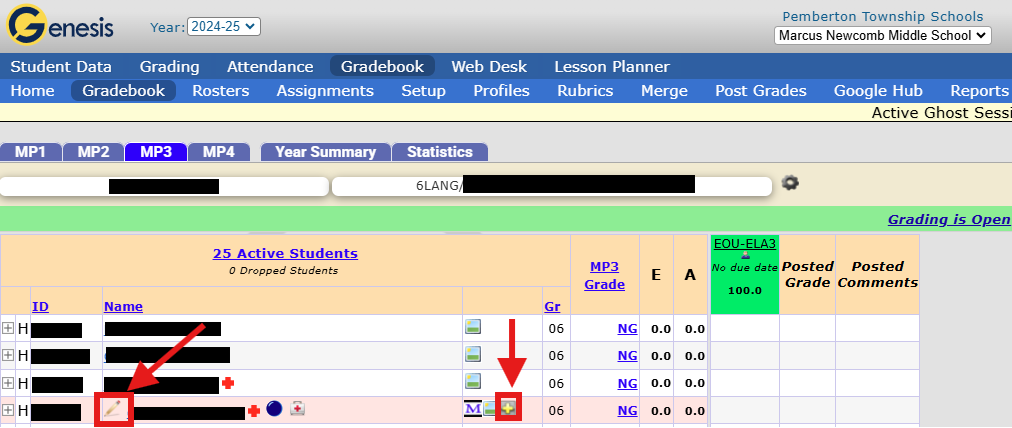
When a student row is highlighted in pink, the student support plan needs to be review and signed off by the teacher. To view the plan, select the icon with the yellow plus. Once reviewed, teachers can sign off by clicking the pencil.
*A signature must be created before signing off on the document, refer to document sent by Principal on instructions on how to set this up. *
When the pencil is clicked, you will be brought to the signature box:
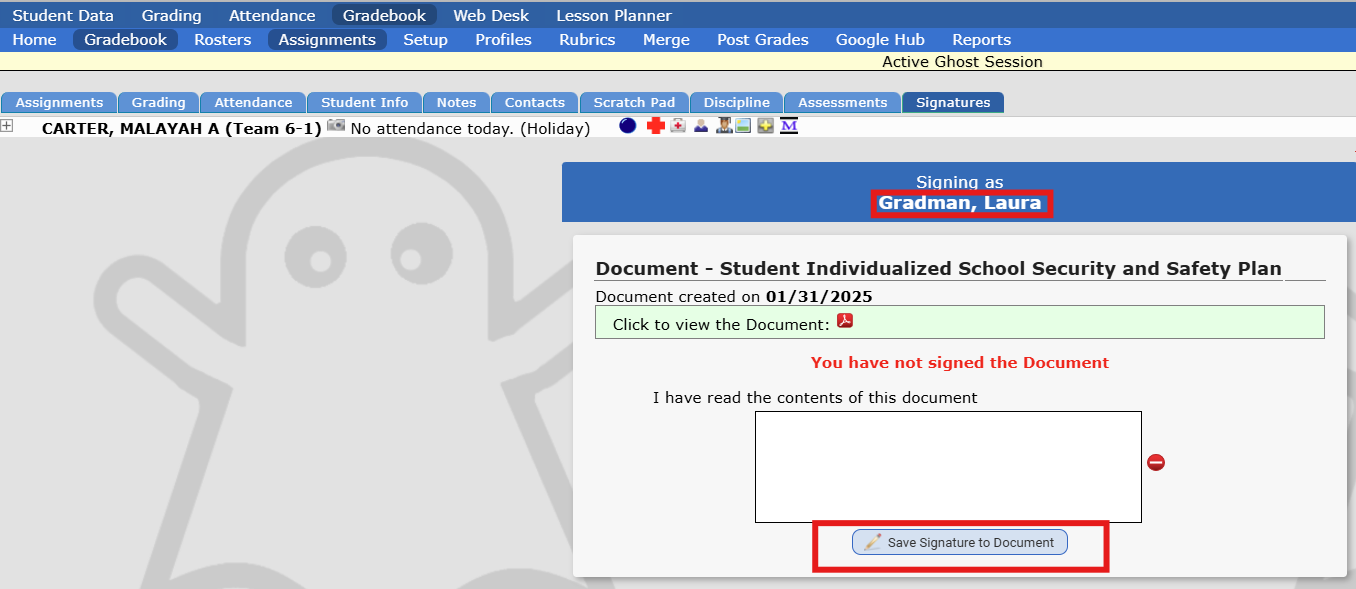
By signing, you acknowledge that you have read and understood the Safety Support Plan.

